
Imagine having a team member who never sleeps, never makes data entry errors, and can simultaneously handle customer support, schedule meetings, write content, and analyze your sales pipeline all at once.
That is not a fantasy anymore. That is what the best AI tools for business are doing for companies right now.
In 2026, AI has moved far beyond chatbots and basic automation. It has become the invisible engine behind efficient marketing teams, sharper finance departments, faster HR processes, and leaner operations. Businesses that are leveraging AI effectively are not just saving time they are unlocking competitive advantages that are genuinely hard to match.
Whether you are a founder running a lean startup, a department head inside a large enterprise, or a manager trying to reduce your team’s manual workload, this guide is for you.
We have researched and compiled the most impactful AI tools across every major business function, so you can find what fits your needs, understand what each tool actually does, and make smarter decisions about where to invest.
What Is an AI Tool for Business and Why Does It Matter Now?
Before diving into specific tools, it is worth understanding what we mean when we say “AI tools for business.”
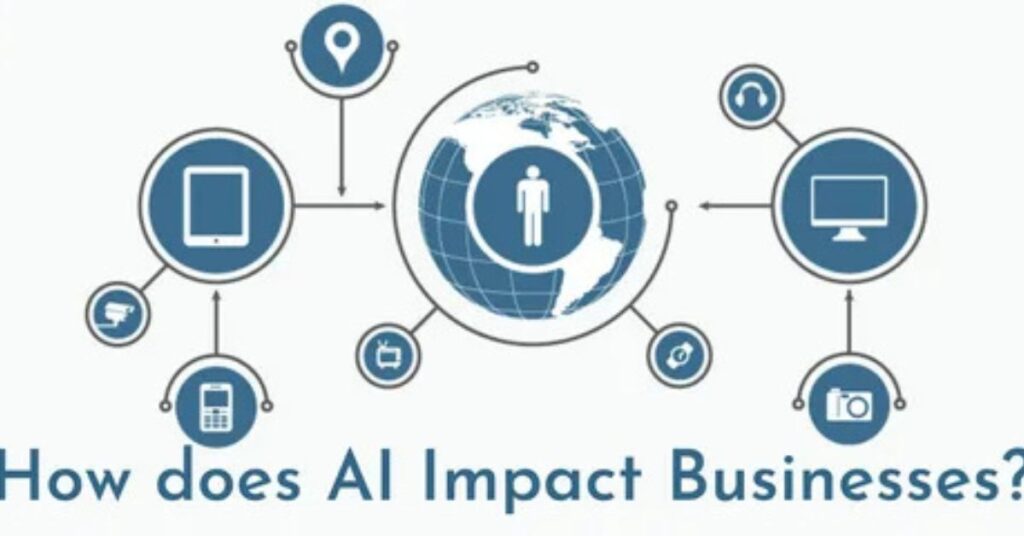
AI tools for business are software applications that use artificial intelligence including machine learning, natural language processing, and predictive analytics to automate tasks, surface insights, and support decision-making inside a company.
These are not just productivity apps. The best ones genuinely replace hours of manual work, reduce costly errors, and help teams act on data they would otherwise never have time to analyze.
Here is why the timing matters: AI tools have become dramatically more accessible in 2026. Many offer no-code or low-code setups, meaning non-technical users can build powerful automation without writing a single line of code. Pricing has also become more flexible, with free tiers and pay-as-you-go models making it possible for small teams to start experimenting with very little upfront investment.
The businesses that win in the next few years will not necessarily be the ones with the biggest teams. They will be the ones that use AI to scale smarter.
The Best AI Tools for Business: At a Glance
Here is a quick summary of the top tools covered in this guide, organized by use case:
- Lindy — Best AI executive assistant for automating business operations
- Microsoft Copilot — Best AI for productivity automation inside Microsoft 365
- Zapier AI — Best no-code AI workflow automation tool
- ThoughtSpot — Best AI for business analytics and data insights
- Tidio AI — Best AI chatbot for customer support and engagement
- Canva AI — Best AI tool for visual content and marketing design
- AdCreative AI — Best AI for generating advertising creatives
- Eightfold AI — Best AI for talent intelligence and recruiting
- Paradox (Olivia) — Best AI assistant for high-volume hiring
- Stampli — Best AI for accounts payable and finance automation
- ClickUp AI — Best AI for project management and operations teams
- Guidde — Best AI tool for creating video documentation and training
Each of these tools solves a real, specific business problem. Below, we break them down by department so you can go straight to what is most relevant for you.
AI Tools for Marketing and Sales
Marketing teams were among the first to feel the impact of AI, and for good reason. AI can generate ad copy in seconds, analyze which campaigns are performing, suggest posting schedules, and personalize outreach at a scale that is simply impossible to do manually.
Canva AI is one of the most widely adopted tools for marketing teams. Built into the popular Canva design platform, its AI features help teams quickly generate layouts, presentations, social media posts, and ad graphics. It is especially powerful for large companies that need to produce high volumes of branded content consistently and fast.
AdCreative AI (part of the Semrush ecosystem) takes ad creation a step further by generating professional-quality advertisement graphics and copy that adapt to your brand’s logo, colors, and format. Marketing teams use it to quickly create and test multiple ad variations, which improves click-through rates without needing a dedicated graphic designer on standby.
Semrush Social AI adds another layer by helping teams manage social media presence with AI-powered suggestions. It analyzes audience engagement, recommends posting times, surfaces content trends, and tracks performance across platforms all from one dashboard.
The common benefit across all these tools is scale. AI lets a small marketing team punch well above its weight, creating content and analyzing campaigns at a pace that would previously have required a much larger operation.
AI Tools for Customer Service

Customer expectations are high. People want answers immediately, at any time of day or night. AI has made that possible for businesses of all sizes.
Tidio AI is one of the strongest tools in this category. It combines live chat, automation, and an AI-powered chatbot called Lyro built on GPT-4 that can resolve up to 70 percent of customer queries without any human involvement.
What makes Tidio particularly useful is its flow builder. You can set up cart recovery messages, trigger personalized discount offers based on browsing behavior, and manage customer conversations across your website, Messenger, Instagram, and email from one place all without touching a line of code.
For e-commerce businesses and high-volume support teams, Tidio represents one of the most direct ROI tools available.
Ada is another powerful option, built specifically for enterprise-level customer service automation. Used by over 4,600 global companies, Ada builds an intelligent virtual agent that handles customer inquiries around the clock, integrates with CRM systems, supports multiple languages, and passes complex issues to human agents seamlessly. If you run a large support operation, Ada can deflect a significant percentage of tickets and dramatically reduce average response times.
The right customer service AI tool depends on your volume, your platform, and how complex your customer queries tend to be. But regardless of which you choose, the impact on both cost and customer satisfaction can be substantial.
AI Tools for Operations and Productivity

Operations teams deal with a constant stream of information, coordination tasks, and repetitive processes. AI tools in this space are focused on reducing friction, automating workflows, and making sure the right information reaches the right people at the right time.
Lindy is one of the most versatile tools in this category. It acts as a no-code AI executive assistant that can handle email routing, lead qualification, meeting scheduling, customer support emails, and document processing running 24/7 without fatigue. It integrates with Gmail, Slack, Google Calendar, CRMs, and dozens of other platforms, and is designed specifically for non-technical users.
For founders and operations leads who are juggling too many moving pieces, Lindy can effectively act as an extra team member that handles the busywork so the humans can focus on higher-value decisions.
Microsoft Copilot is a strong option for teams already embedded in the Microsoft 365 ecosystem. It is built directly into Word, Excel, Teams, Outlook, and other Office apps, which means there is no new platform to learn. It can summarize meeting notes in Teams, generate first drafts in Word, analyze data in Excel, and even prioritize your inbox in Outlook. The newer “Researcher” and “Analyst” agents add deep data analysis and workflow automation on top of that.
Zapier AI connects your apps and automates workflows using plain language. You describe what you want “Summarize Slack messages every Friday and send me a recap” and Zapier drafts the automation for you. It supports thousands of integrations and is particularly valuable for teams that use many different tools and want them to talk to each other without constant manual intervention.
ClickUp AI sits inside a project management platform and adds AI-generated summaries, draft creation, and smart insights directly into your tasks and documents. For operations managers tracking multiple projects, the ability to ask “Which tasks are at risk this week?” and get an immediate, AI-analyzed answer is genuinely useful.
AI Tools for HR and Talent Management
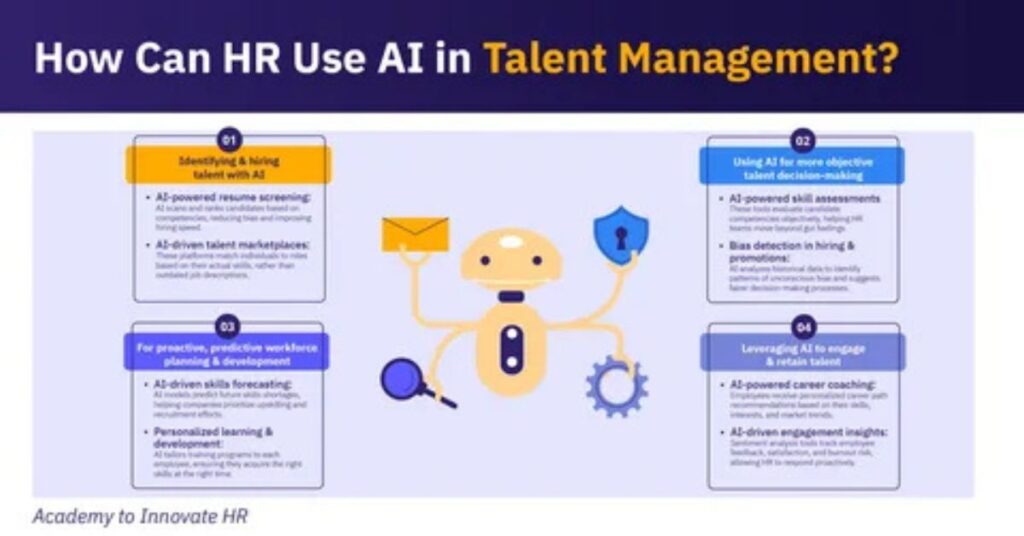
Recruiting and managing talent is one of the most time-consuming functions in any business. AI is changing that by screening candidates faster, reducing bias, and automating the repetitive early stages of the hiring process.
Eightfold AI is a talent intelligence platform that uses deep learning to match candidates to job requirements at scale. It draws on a dataset of over one billion global profiles, focuses on skills and potential rather than demographic factors, and can surface non-obvious candidates who might be perfect for a role even if their background looks unconventional on paper.
For large enterprises running ongoing hiring campaigns, Eightfold can significantly reduce time-to-hire while also improving the diversity and quality of the candidate pool.
Paradox, with its AI assistant “Olivia,” takes a more conversational approach. Olivia interacts with candidates via chat or text, handles screening questions, schedules interviews, and answers FAQs about the role all automatically. For companies doing high-volume hiring in retail, hospitality, or logistics, Paradox can handle thousands of candidate conversations simultaneously, keeping applicants engaged and moving through the process at a pace no human team could match.
Both tools reduce the administrative burden on HR teams while improving the candidate experience, which in a competitive talent market is genuinely valuable.
AI Tools for Finance and Data Analytics

Finance teams deal with some of the highest-stakes data in any organization. AI tools in finance are focused on accuracy, speed, and surfacing insights that support better decisions.
Stampli automates accounts payable by using AI and optical character recognition (OCR) to extract data from invoices, match them against purchase orders, detect duplicates or anomalies, and route them to the right approver all automatically. Finance teams that implement Stampli typically see much faster invoice approval cycles and fewer late payment penalties. It integrates with major ERP systems like SAP and Oracle.
ThoughtSpot takes a different angle it is built for business analytics rather than transactional processing. Its AI assistant lets you ask questions about your data in plain language and get back visual, interactive answers almost instantly. The Liveboards feature gives teams access to live, interactive data visualizations, and the platform actively surfaces anomalies and predictive insights rather than waiting for you to dig for them.
For operations and finance leaders who need to stay ahead of performance trends without relying entirely on data analysts, ThoughtSpot makes a compelling case.
AI Tools for Training and Documentation
As businesses scale, knowledge transfer becomes a challenge. Getting new employees up to speed, documenting processes, and maintaining training materials all eat into productive time.
Guidde addresses this directly by using AI to create step-by-step video documentation automatically. You perform a task say, walking through a software process and Guidde captures it, creates annotations, adds narration, and produces a polished tutorial video. For IT and operations teams that deal with constant onboarding and internal training needs, this is a significant time saver.
ChatPDF turns static documents into interactive Q&A sources. Upload a lengthy contract, report, or policy document, and you can ask it direct questions in natural language “What are the payment terms here?” or “Summarize the key findings” and get immediate, cited answers. For teams that work with large volumes of documentation, this removes one of the most time-consuming parts of knowledge work.
How to Choose the Right AI Tool for Your Business
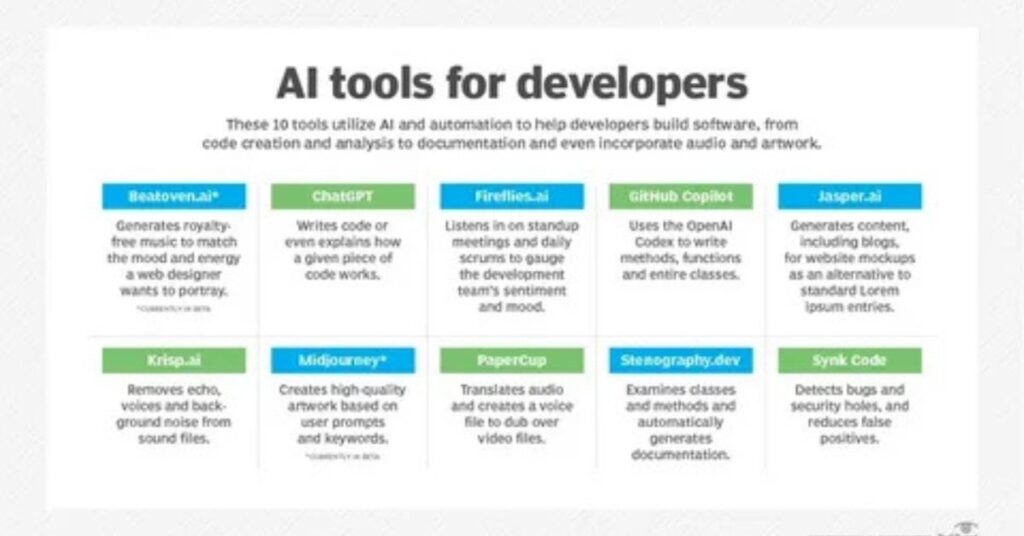
With so many tools available, the risk is not having too few options it is getting distracted by the wrong ones.
Here are a few practical principles for evaluating AI tools:
Start with a specific problem, not a general interest in AI. The best results come from identifying a bottleneck or a time-drain in your current workflow and finding the tool that addresses it directly. “We want to use AI” is a poor starting point. “We want to reduce the time our team spends on email triage” is a much better one.
Check for integration with tools you already use. The most powerful AI tools are ones that slot into your existing stack your CRM, your communication platform, your project management tool. If a new AI tool creates a separate silo, it often adds complexity rather than reducing it.
Consider the learning curve and setup time. Many modern AI tools are genuinely no-code and can be set up in under an hour. Others are enterprise platforms that require significant IT involvement. Be realistic about your team’s capacity to implement and maintain a new system.
Look for free trials or freemium tiers. The majority of the tools mentioned in this guide offer some version of a free plan or trial. Use it before committing. Real-world testing inside your workflow is always more informative than a demo or a feature list.
Think about data security. If you are uploading sensitive customer data, financial records, or proprietary documents into an AI platform, understand how that data is handled, stored, and whether it is used for model training. Many enterprise tools offer SOC 2 compliance, GDPR compliance, and on-premise deployment options for organizations with strict data governance requirements.
The Practical Takeaway: AI Is Not One Tool, It Is a Strategy
One of the most common mistakes businesses make with AI is treating it as a single purchase as if there is one magical platform that will solve everything.
The reality is that the best AI strategy for most businesses involves a small, curated set of tools, each solving a specific problem in a specific department.
A marketing team might use Canva AI and AdCreative for content creation, while the operations team runs workflows through Zapier and ClickUp AI. HR might deploy Paradox for high-volume hiring screening, while finance uses Stampli for invoice automation. Customer support might run through Tidio for front-line chat handling.
When these tools work together integrated through platforms like Zapier or natively connected via APIs the cumulative time savings are remarkable.
The key is intentionality. Every AI tool you add should have a clear owner on your team, a measurable outcome it is expected to produce, and a regular review to make sure it is actually delivering that outcome.
The Businesses That Win Will Be AI-Augmented
We are at an inflection point. AI tools are no longer experimental add-ons they are operational infrastructure. And the gap between businesses that use them well and those that do not is widening quickly.
The good news is that adoption has never been easier. Most of the best AI tools for business today are accessible to companies of any size, require no technical expertise to get started, and offer meaningful ROI within weeks of implementation.
You do not need to transform your entire business overnight. Start with one tool that addresses your most painful workflow problem. Measure what changes. Then expand from there.
The businesses that will lead their industries in three to five years are not necessarily the ones with the largest teams or the biggest budgets. They are the ones that are learning, right now, how to work smarter with AI.
That process starts with picking the right tool and taking the first step.